Adding a payment method
There are two ways to add a payment method:
- From the console
- At the checkout
To add a payment through console, follow these steps:
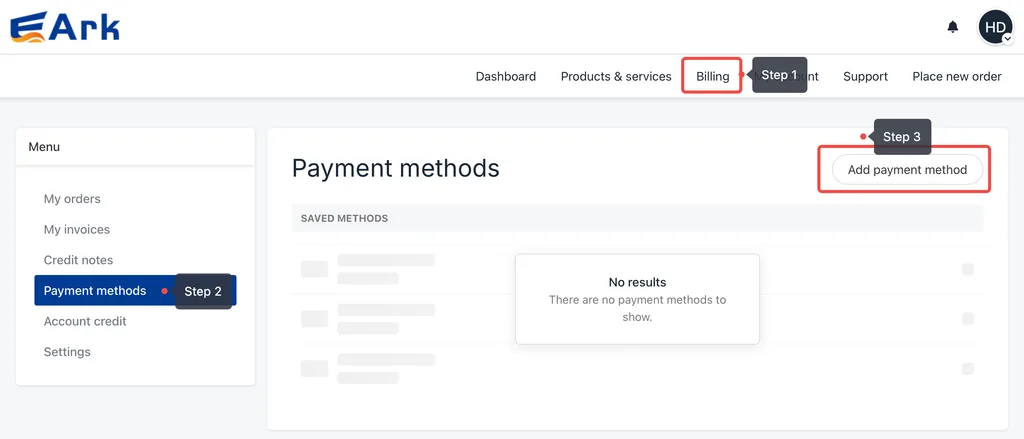
- Log in to console
- Click Billing in menu tab
- On the left menu, click Payment method
- Click Add payment method button
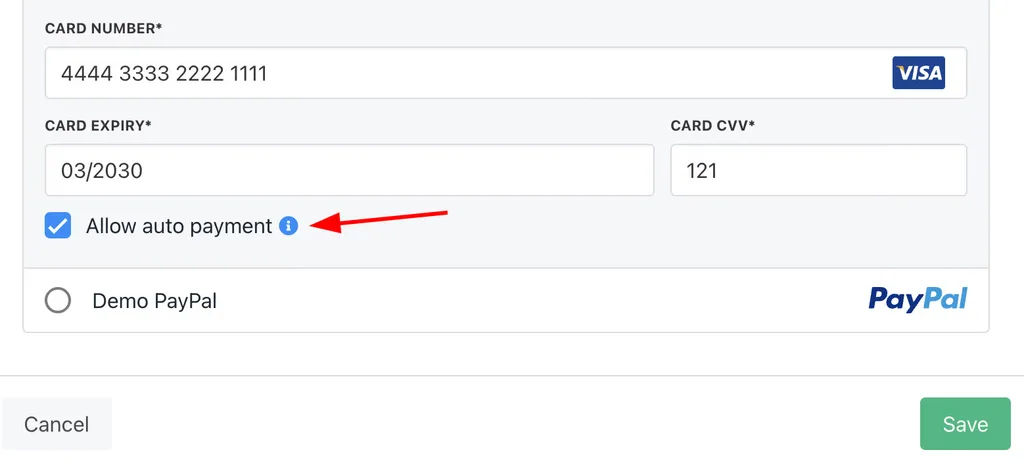
- Fill the fields and then click Save
See list of accepted payment options.
Allowing recurring payments
You can control how this payment method manages auto-renewals (e.g., recurring subscription payments).
We recommend to turn on this option if you have continuing subscriptions, especially if you have a domain or hosting, to avoid potential service disruptions for unpaid bills.